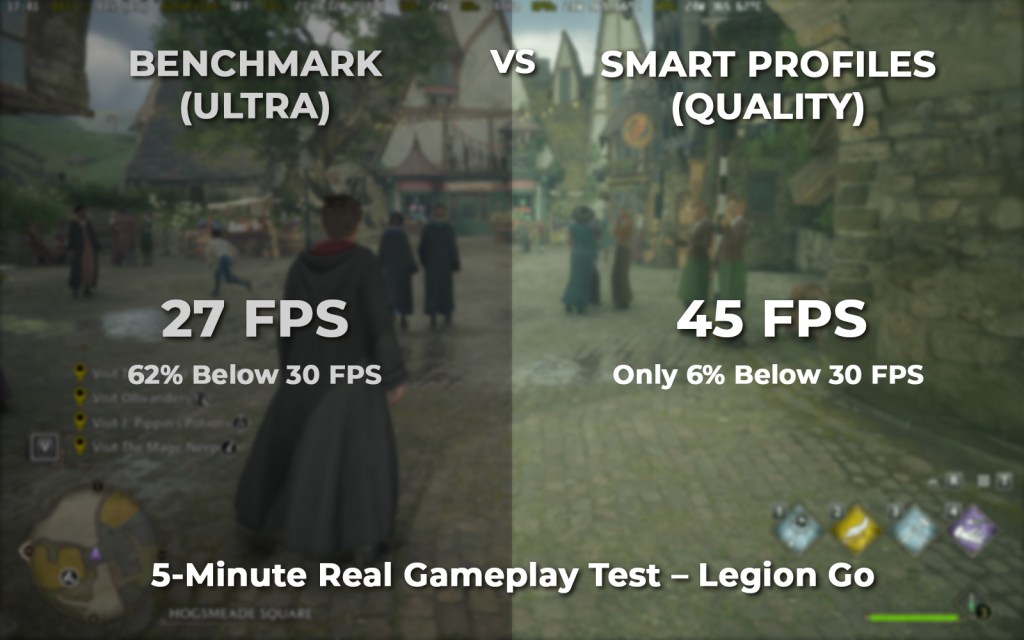
When I ran the built-in benchmark in Hogwarts Legacy on my Lenovo Legion Go, the game recommended:
Ultra settings across the board.
That sounds impressive — and if you’re new to PC gaming, you might assume:
“If the game recommends Ultra, that must be the best experience.”
But is it really optimized for a power-limited handheld device?
I decided to test it properly.
Test Setup
To keep the comparison fair and realistic, both tests were done under identical conditions:
- Device: Lenovo Legion Go
- Resolution: 1600×1000
- Refresh Rate: 144Hz
- TDP: Fixed at 75% of the usable range
- Duration: 5 minutes of real gameplay (not just the built-in benchmark scene)
- Metrics captured using RTSS per-frame frametime history
The only thing that changed was:
• Benchmark Recommended Settings (Ultra)
vs
• ZenDeck Smart Profile (Quality profile)
Results
| Metric | Benchmark (Ultra) | Smart Profile (Quality) | Improvement |
|---|---|---|---|
| Average FPS | 27.23 | 45.01 | +65% |
| 1% Low FPS | 16.22 | 25.37 | +56% |
| 0.1% Low FPS | 7.12 | 15.07 | +111% |
| Time Below 30 FPS | 62.56% | 5.97% | -90% |
| Severe Stutter (>50ms) | 5.91% | 0.24% | -96% |
What These Numbers Actually Mean
If you’re not used to performance metrics, here’s the simple version:
- Average FPS tells you overall performance.
- 1% Low FPS tells you how bad the dips get.
- Time Below 30 FPS tells you how often the game feels unstable.
- Severe stutter (>50ms) means noticeable hiccups or mini-freezes.
With benchmark Ultra settings:
- The game spent over 62% of the time below 30 FPS.
- Severe stutters were far more frequent.
- 0.1% lows dropped to around 7 FPS — that’s very noticeable.
With Smart Profile (Quality):
- Average FPS jumped to 45.
- Time below 30 FPS dropped to under 6%.
- Severe stutter was nearly eliminated.
Same hardware.
Same power.
Same resolution.
Completely different experience.
Why Did the Game Recommend Ultra?
Game benchmarks are usually designed with desktop PCs in mind.
They don’t fully account for:
- Power-limited handheld devices
- Sustained thermal constraints
- Shared memory bandwidth
- Long gameplay sessions instead of short benchmark scenes
Ultra settings might look impressive in a benchmark run.
But over 5 minutes of real gameplay on a handheld, they struggle.
Interesting Side Note: Different Device, Different Recommendation
On another device — the ROG Xbox Ally X — the same benchmark recommended:
Everything set to Low.
So on one device (Legion Go), the benchmark suggests Ultra.
On another device (Xbox Ally X), it suggests Low.
That inconsistency highlights something important:
The built-in benchmark isn’t truly optimizing for sustained handheld gameplay.
It’s reacting to hardware detection, not real-world power-constrained scenarios.
And in both cases, the recommendation doesn’t necessarily lead to the best experience.
What This Means for Handheld Players
This is especially important if you’re new to PC gaming.
If you’re just getting into handheld PC gaming and the game recommends certain settings, it’s completely natural to think:
“The game knows best.”
Most people won’t question it.
They’ll assume the recommended settings are optimized for their device.
In this case, that assumption would lead to:
- 62% of gameplay below 30 FPS
- Frequent dips
- Noticeable stutter
- An experience that feels unstable
And for someone new to PC gaming, that might create the impression that:
- The device is weak
- The game is poorly optimized
- Or that handheld PC gaming just “isn’t smooth”
When in reality, the issue isn’t the hardware — it’s the tuning.
Why Smart Profiles Performed Better
The Smart Profile (Quality) didn’t just lower everything blindly.
It’s tuned specifically for:
- Power-limited environments
- Sustained performance
- Frame pacing stability
- Real gameplay conditions
Even using the Quality profile (not Performance), it delivered:
- 65% higher average FPS
- 90% reduction in time spent below 30 FPS
- 96% reduction in severe stutter
That’s not a small tweak.
That’s the difference between “playable but frustrating” and “smooth and enjoyable.”
Final Thoughts
Built-in benchmarks can be helpful — but they’re not always optimized for handheld gaming PCs.
On the Legion Go, Hogwarts Legacy recommended Ultra.
In real gameplay at fixed power, that resulted in heavy instability.
The Smart Profile (Quality) delivered dramatically better stability under the same exact conditions.
If you rely only on in-game recommendations, especially as a newcomer to PC gaming, you might not be getting the best experience your device is capable of.
And in power-constrained handheld systems, tuning matters more than presets.
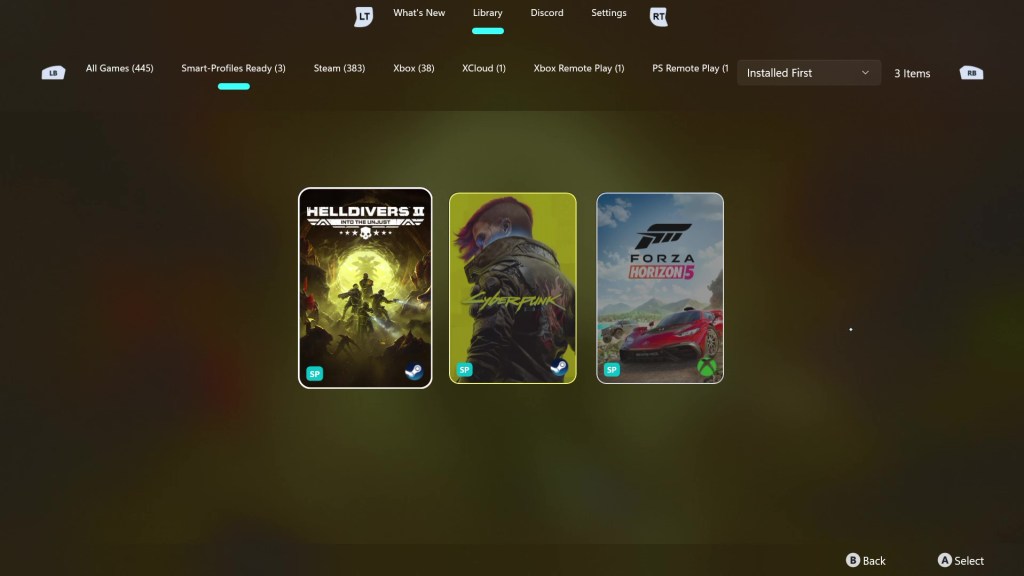
If you want to set up ZenDeck and enable Smart Profiles, you can follow the full step-by-step guide here:
 0degreez